Using Anki to Study Computer Science
Reflections from using Anki to study computer science.
Anki is an open-source flashcard app that uses spaced repetition. The idea behind spaced repetition is to space out your revision so that you revise just before you are about to forget. Anki simplifies the process by determining what cards to show or hide at a given point in time using a spaced repetition algorithm. It is commonly used for learning new foreign languages and by students studying medicine. For a better overview of Anki and spaced repetition, I recommend reading this page from the Anki manual: https://docs.ankiweb.net/background.html.
I’ve used Anki for several years to study for both my A-levels and my bachelor’s degree in Computer Science (CS). In the process, I achieved a 4.0 GPA without cramming. In this post, I document my Anki workflow and the things that I have learnt after six years of using Anki. This is not a tutorial on Anki or on studying computer science. While the post focuses mainly on Anki, many of the tips shared are transferable to other flashcard apps.
Use Cases for Flashcards
This section will be split into different subsections where I detail the type of knowledge that is worth converting to flashcards, while also showing some sample flashcards from my own collection. Please note that the effectiveness of flashcards depends on your ability to convert the right notes to flashcards. They work well for some modules and are much harder to use for other modules.
Theory
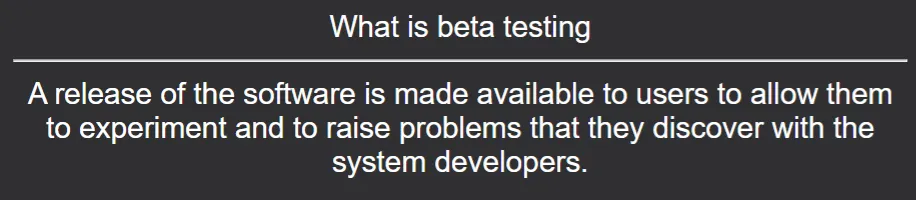
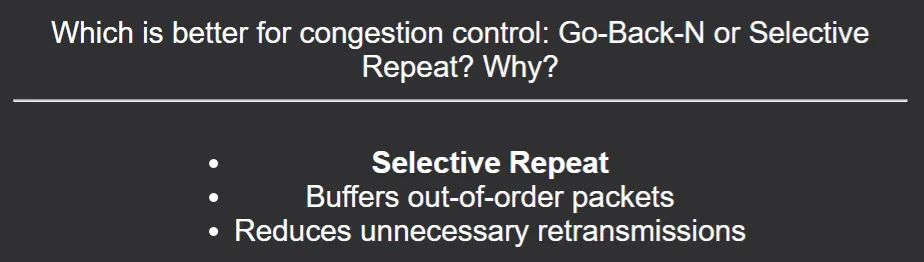
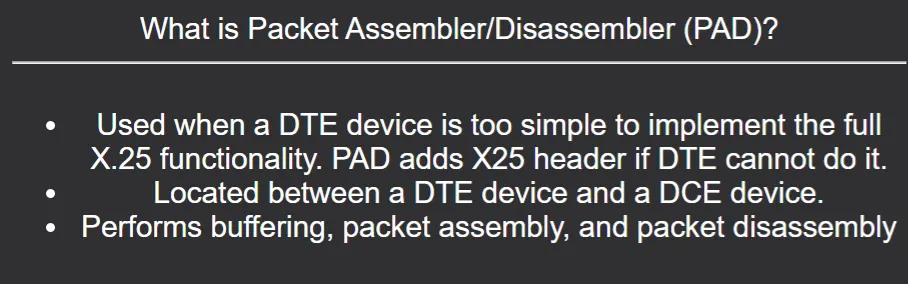
Flashcards are most effective for memorizing theory. Thankfully, in my experience, nearly all CS modules contain a lot of theory that is examinable. Examples of theory-heavy modules where I used Anki are Software Engineering and Project Management, Networking, and Systems Security. For such modules, I created cards that follow these formats:
- Definition of X / What is X
- List Y features of X
- List Y advantages/disadvantages of X
- Give Y differences between X and Y
- Give X examples of Y
Diagrams
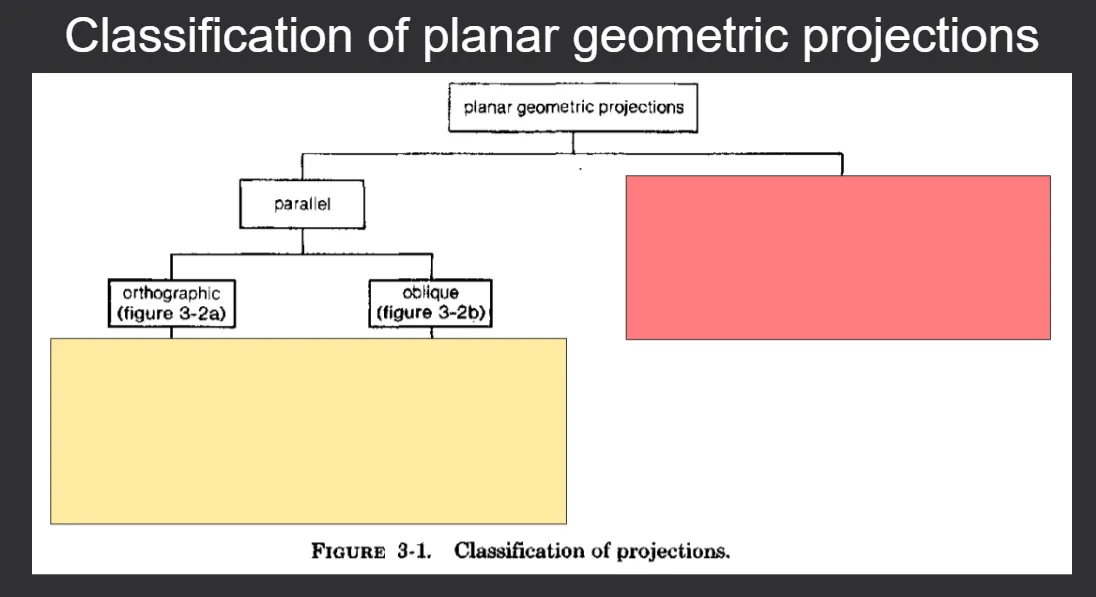
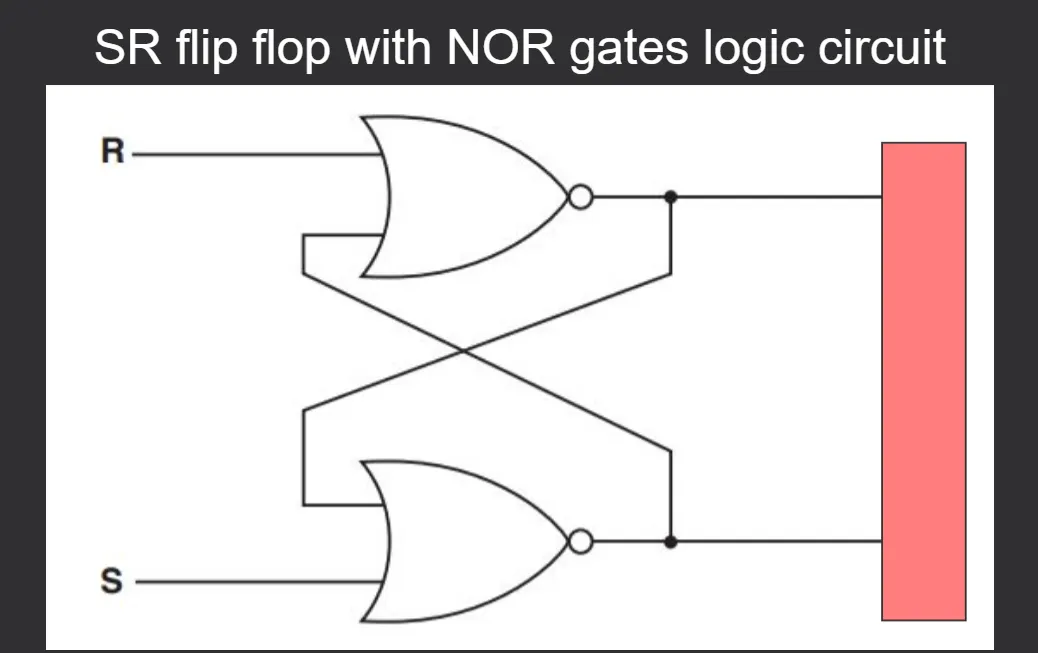
Flashcards can also be used for learning a diagram. It can help you precisely recall components or the flow of a diagram by hiding parts of it. While learning diagrams by heart is rarely required in CS, I did encounter some modules where it was required and at times you might want to create your own diagrams for revision.
Use the Image Occlusion Enhanced add-on to hide parts of a diagram.

Maths/Logic
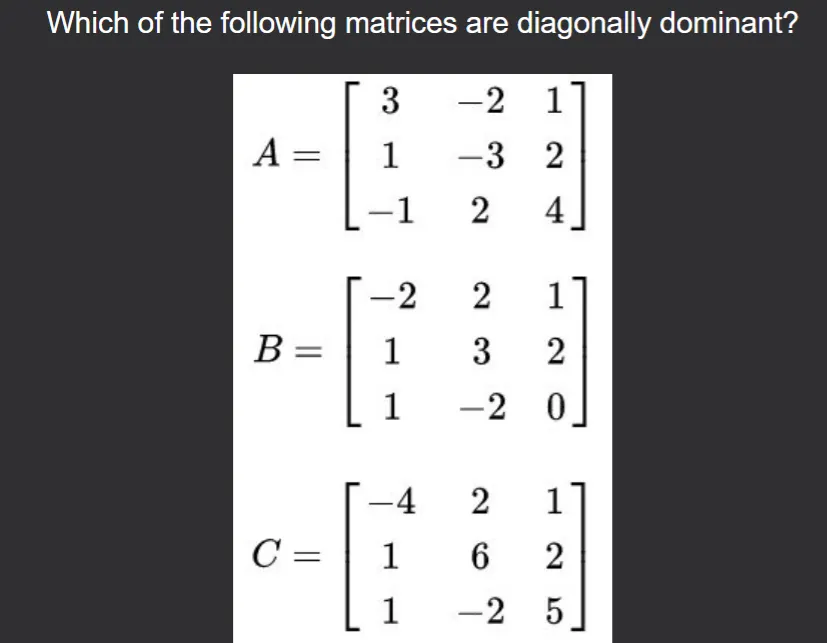
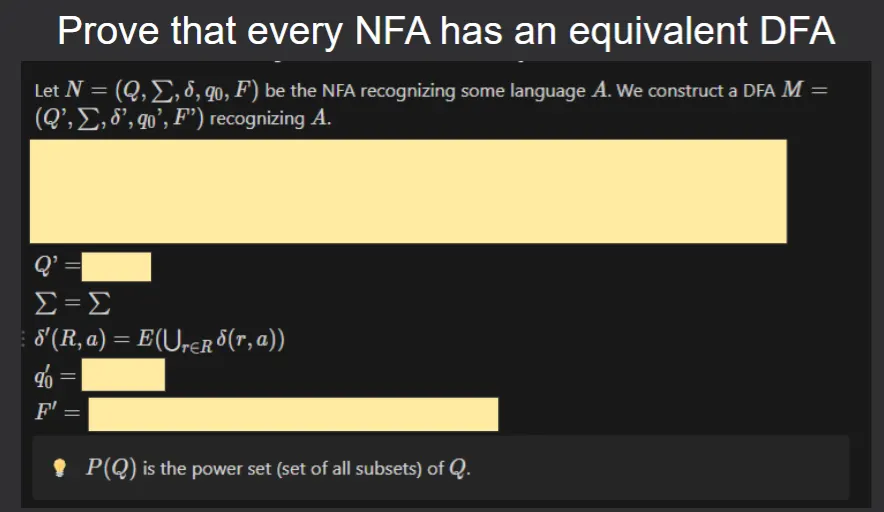
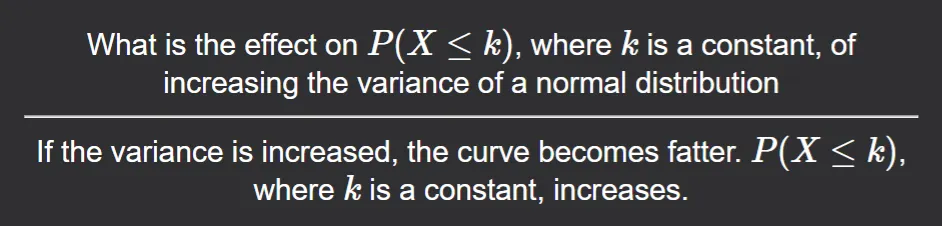
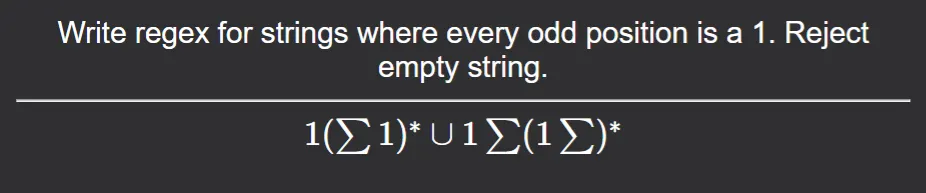
In my experience, modules that involve a lot of calculations or logic (e.g. Computational Maths, Formal Logic) can be studied effectively with flashcards. In this case, you need to create flashcards that test your understanding of:
- Theory/Concepts
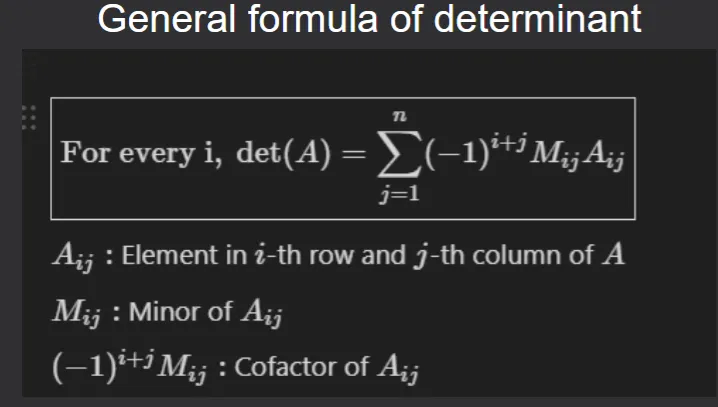
- Formulas: Create cards that check if you remember the formula or even the meaning of each term in a formula.
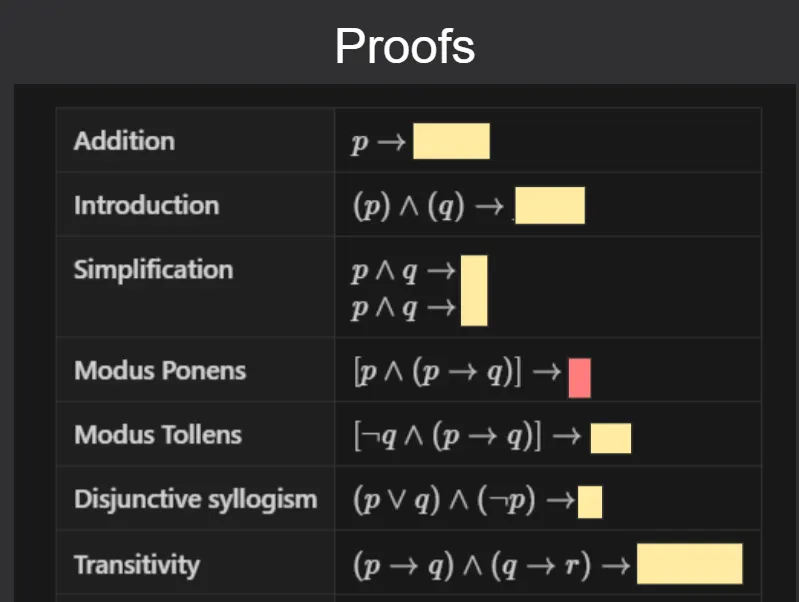
- Proofs/Algorithms: Rather than trying to learn an entire algorithm in a single flashcard, prefer smaller flashcards where you can learn different parts of an algorithm. The
Clozenote type is essential for hiding intermediate steps of calculations in example-based questions.
Anki supports both MathJax and LaTeX which allows you to create well-formatted equations in Anki itself. See the manual for more details: https://docs.ankiweb.net/math.html.
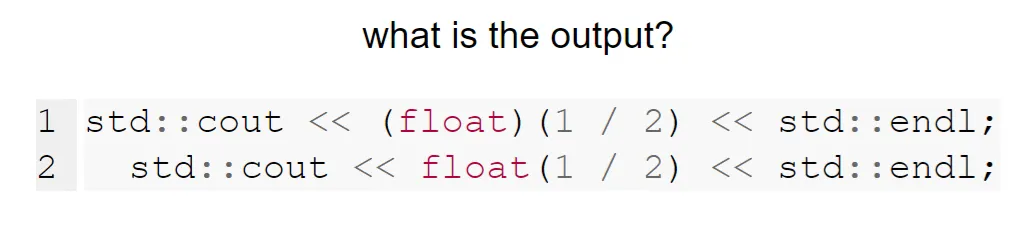
Programming
Modules that involve coding are harder to learn with Anki because coding and rote memorization do not go well together. Rote memorization of code snippets from lectures is futile because there are multiple ways to write the same code and you are very likely to make mistakes vomiting code for exams.
The learning objectives of programming modules are typically:
- Writing code
- Dry-running a program
- Remembering programming syntax
- Understanding and applying data structures and algorithms
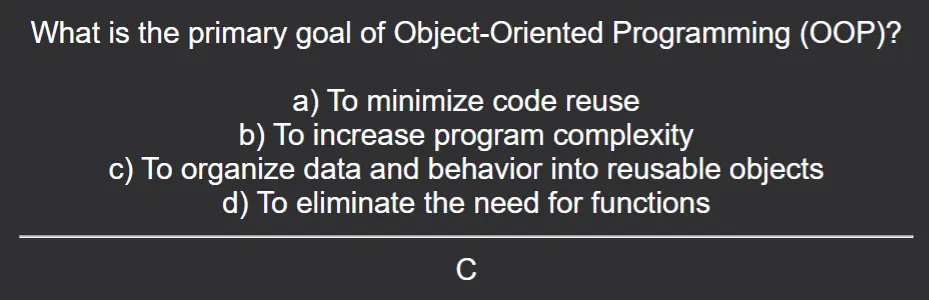
- Learning theory like object-oriented programming, design patterns
For learning theory, the same guidelines given in the first section apply.
For Anki to work effectively for programming, you need to have prior understanding of all code that you are trying to learn.
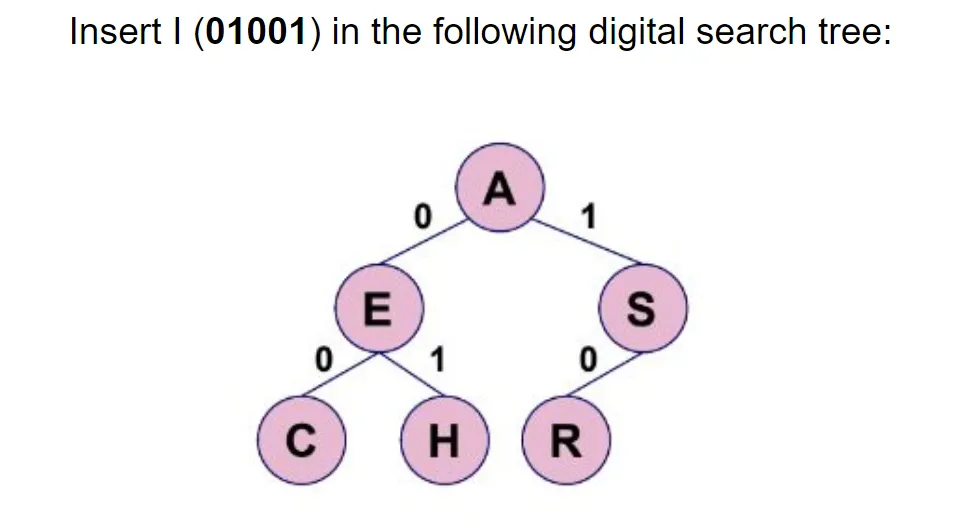
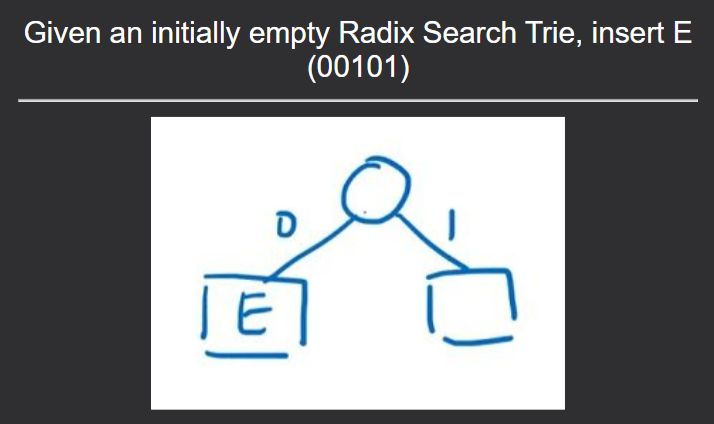
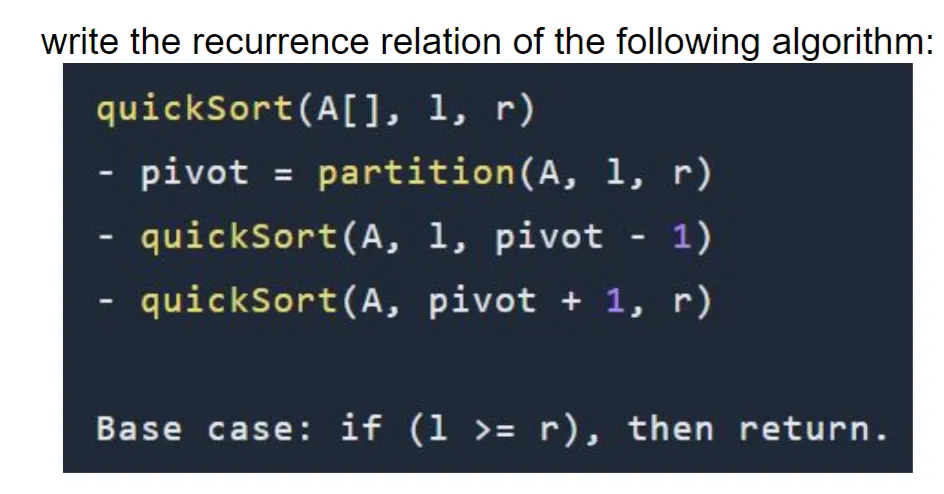
To test your understanding of an algorithm (e.g. bubble sort), rely on example-based flashcards where you need to apply the algorithm on a scenario (e.g. what is the array on the n-th pass?)
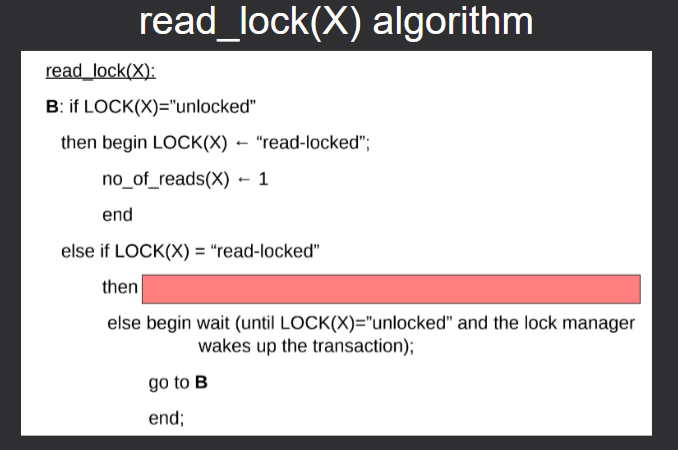
The note types that I used for learning programming are Image Occlusion, Cloze, and Basic.
Use the
Syntax Highlighting for Codeadd-on to paste code snippets in your flashcards while maintaining syntax highlighting and formatting.
Flashcards are NOT a substitute for actual programming (writing code, compiling, debugging, …). They will not make you better at programming and therefore, you should still work on your programming skills separately by actually programming.

Linux
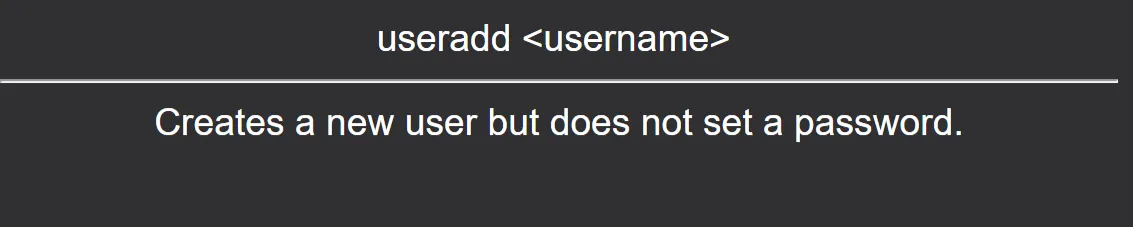
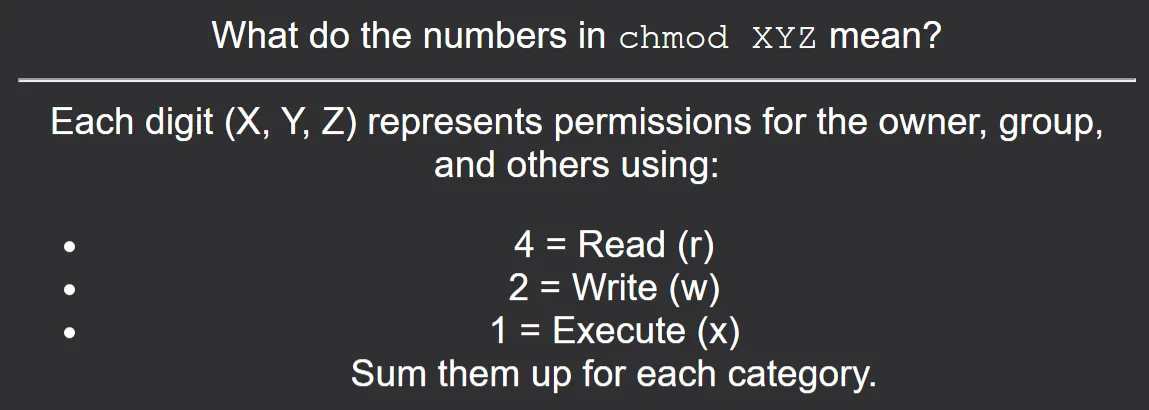
To learn Linux commands, I relied on the Basic (type in the answer) note type. It allows you to type your answer, and when you reveal the card, Anki shows the difference (diff style) between your input and the true answer.
Another useful note type for learning commands is the Basic (and reversed card) where both the front and the back of the card become separate cards. The idea here is that you can test if you can remember the command given an explanation and vice-versa.
Viva Presentation
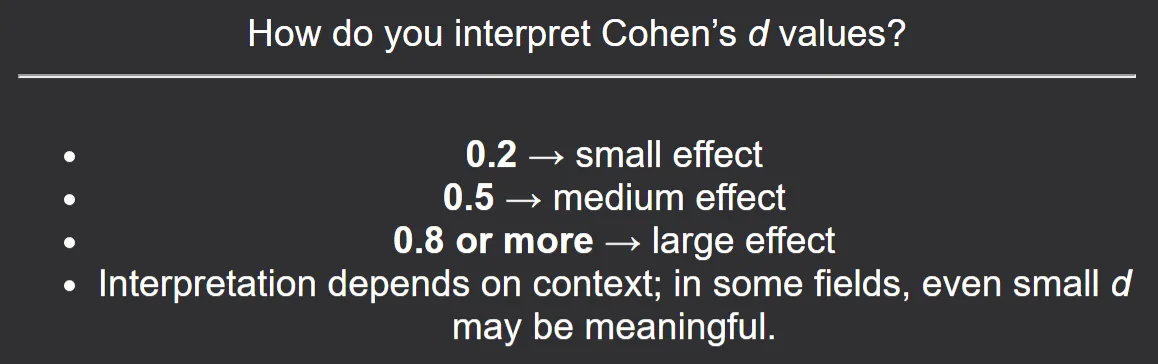
I used flashcards to practice answering questions that I may be asked by my examiner for my viva. Here, the goal is not to memorize each answer word-by-word, but rather to remember the gist of the argument.
Why Digital Flashcards Over Physical Ones
I recommend using digital flashcards over physical ones because:
- Physical flashcards are much easier to lose/damage while digital flashcards can be backed up.
- Physical flashcards are harder to edit over time.
- Physical flashcards are limited in space.
- Physical cards cannot contain multimedia.
How to Create Good Flashcards
There is an enormous amount of good advice on the internet for creating good flashcards. If you are new to Anki, you should definitely go through the manual first. Here are the guidelines that I use for creating flashcards:
- Try to use bullet points as far as possible when learning theory to ensure that your cards are as simple and concise as possible. This also makes the card easier to skim through.
- Always include questions that match the format and structure of actual exam questions. Sometimes, you may even have to copy questions directly from past papers to add to Anki. This will ensure that you are always familiar with the type of questions that will appear in the exams.
- Avoid learning things that you do not fully understand.
- Use simple language. Avoid fancy English words.
- Flashcards do not need to be perfect on the first attempt. With time, you can make small improvements.
- Create your own flashcards as far as possible instead of downloading random decks from the internet. Creating and editing cards is part of the learning process, since you need to be able to understand something first to be able to create a card for it. Moreover, it is highly unlikely that online decks are catered to your understanding or your teacher’s syllabus.
- Avoid cards that require difficult mental calculations or that assume that you have a pen, paper, or calculator available.
Use of AI
The advent of AI has revolutionized the flashcard generation process. I’ve used AI extensively to summarize lengthy lecture notes and to generate flashcards.
However, you should be careful when uploading PDFs of lectures to AI models because the PDF can contain text in image format or diagrams in PNG format which the AI cannot parse. Therefore, the AI can miss certain content or even entire slides. Forgetting to revise parts of the lecture can have serious consequences.
My approach to generate flashcards using AI was as follows:
Prompt the AI using a master prompt. An example of a prompt that I used was:
1 2 3 4 5 6 7 8 9 10 11 12 13
You are an expert in <module-name>. I will provide you with lecture notes, and your task is to create clear, high-quality Anki that will help me understand the material and prepare for exams. Requirements for the flashcards: - Use bullet points or numbered lists whenever possible for clarity. - Keep the language simple and concise to make facts easy to remember. - For each topic, include: - Core concepts (definitions, key facts, examples) - Process or steps (if applicable) - Common pitfalls — highlight typical exam trick questions, misconceptions, or easy-to-miss details. - Ensure one fact/question per card to keep cards atomic and focused. - Where possible, rephrase complex ideas into easy-to-recall forms. - Do not give me plain markdown text and render it. I want to be able to copy paste.- Select a few (~5) consecutive slides.
- If the selected slides contain images, create your own flashcards from the images instead of relying on the AI.
- Copy the text from the selected slides and paste it to the AI.
- For each generated flashcard, read it and verify that its content is correct based on your understanding of the copied slides.
- If the flashcard passes validation, paste the card to your Anki manually.
- Repeat steps 2–6 until the entire lecture PDF has been processed.
I treated the AI as a drafting assistant rather than a source of truth.
Discipline to Learn
Creating flashcards is only the tip of the iceberg. The true work is to actually develop the habit of reviewing the flashcards regularly. This requires motivation and discipline and can be quite challenging but this commitment adds up quickly over the course of a year. To give you an idea of the commitment required, here are some statistics from my final year of CS in 2025:
- I spent around 1 hour daily revising.
- I reviewed an average of 53 cards and the most reviews I did in a single day was 301.
- 3k flashcards in total
- 19k reviews in total
- ~10s per card
 Heatmap for my collection for 2025
To develop the daily habit of reviewing flashcards, I did the following:
- I created a daily reminder on my phone to review Anki cards.
- I had a dedicated time slot in my schedule for reviewing flashcards. It was either in the morning, around 9 AM, or at night before going to bed.
- I installed a heatmap add-on in Anki to keep track of my streaks. Filling each tiny square gave me motivation.
- I set a small daily goal for the number of cards to review and gradually increased it.
- I downloaded the Anki app on my mobile phone, and reviewed cards during commute time.
Additional Tips
- I recommend having a decent typing speed (> 50 WPM) to make the flashcard creation process easier. Knowing a few Anki keyboard shortcuts is also helpful.
- Always backup your collection regularly as it is very easy to lose months of work.
- Do not use Anki for cramming. Anki is designed for long-term retention, not last-minute revision.
- Anki is NOT a substitute for working out past papers and attending lectures. If a concept does not make sense to you, it will be harder to learn.